🦃 Holiday planner
Host the holidays without the group text.
One link for who's coming, who's bringing what and who drew whom for Secret Santa. Send it to the family. Nobody downloads anything.
Free to plan. Guests never pay.
Sound familiar?
Every year, the host ends up running the whole thing.
Give everyone one place to look. 💛
Pick your holiday
Start with the one you're hosting.
Friendsgiving
The potluck with your favorite people, on whatever weekend works.
- A dish list nobody double-books
- Plus-ones and kids counted in the RSVP
- Games and votes for after dinner
Thanksgiving dinner
The family meal, with everyone coming in from different places.
- The plan for the day: arrivals, dinner, football, pie
- Who's bringing the rolls, the pies, the folding chairs
- Directions and where out-of-towners are staying
Christmas and Secret Santa
The family Christmas, the office party or the ugly sweater night.
- Secret Santa names drawn on each phone Event Pass
- Wish lists and a spending limit
- Cookies, cocoa and who's bringing what
Ugly sweater party? Start with the novelty look. White elephant rules work too.
What you get
Everything the family keeps asking you, answered.
RSVPs that count heads
Who's coming, how many adults and kids, and any allergies, so you know how big a turkey to buy.
Who's bringing what
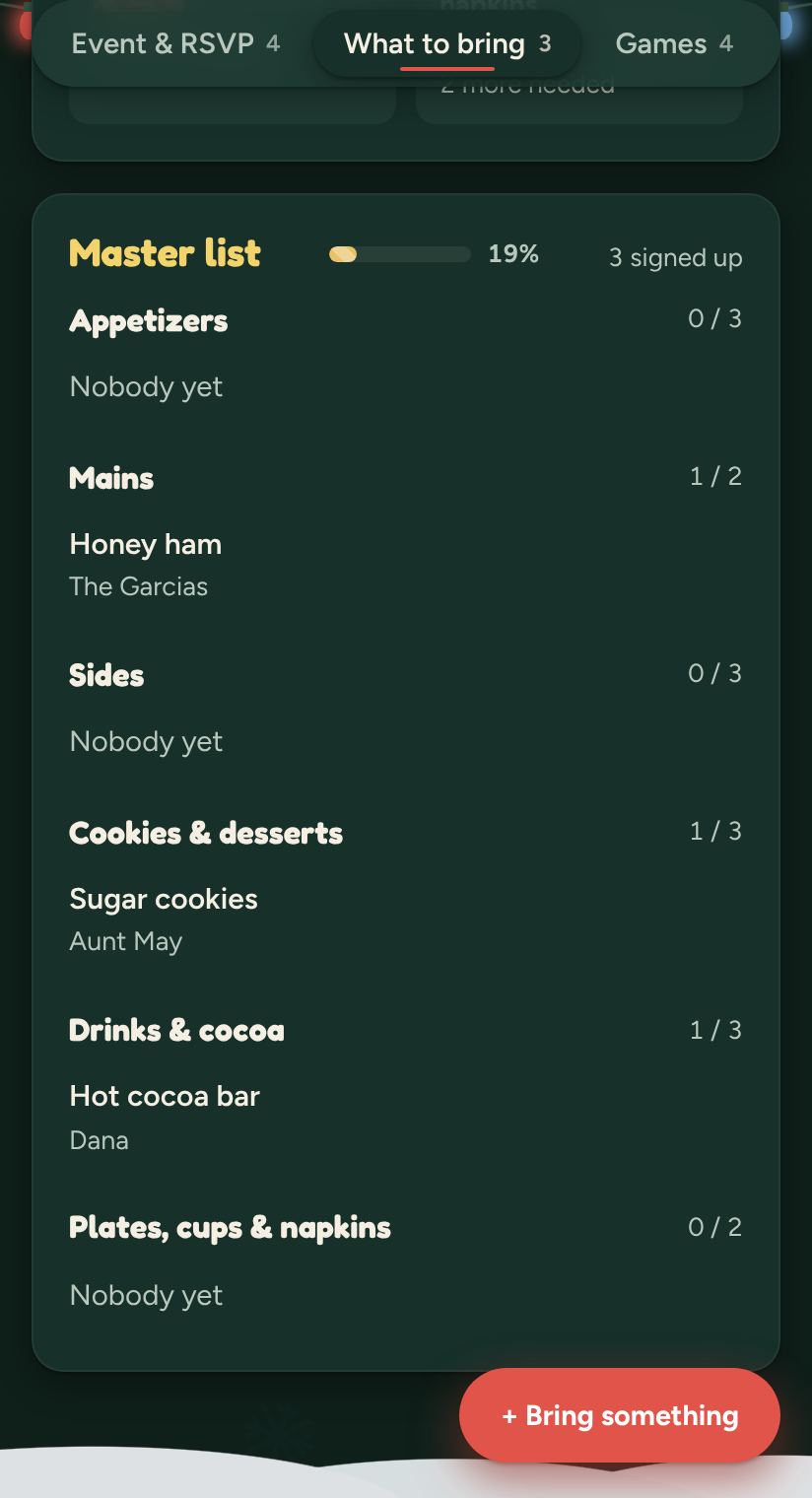
Mains, sides, desserts and drinks. Everyone claims a dish and sees what's still needed.
The plan for the day
Doors at 2, dinner at 4, football and pie after. Everyone sees the same times.
Games and votes
Suggest a game, let everyone vote, and see what wins before anyone arrives.
Secret Santa, sorted
Names drawn on each phone, wish lists and a spending limit, plus prizes for the pie contest. With the Event Pass.
Reminders that go out for you
A heads-up before the day so nobody forgets the rolls in the car.
One page, the whole get-together
What your family sees when they tap the link.
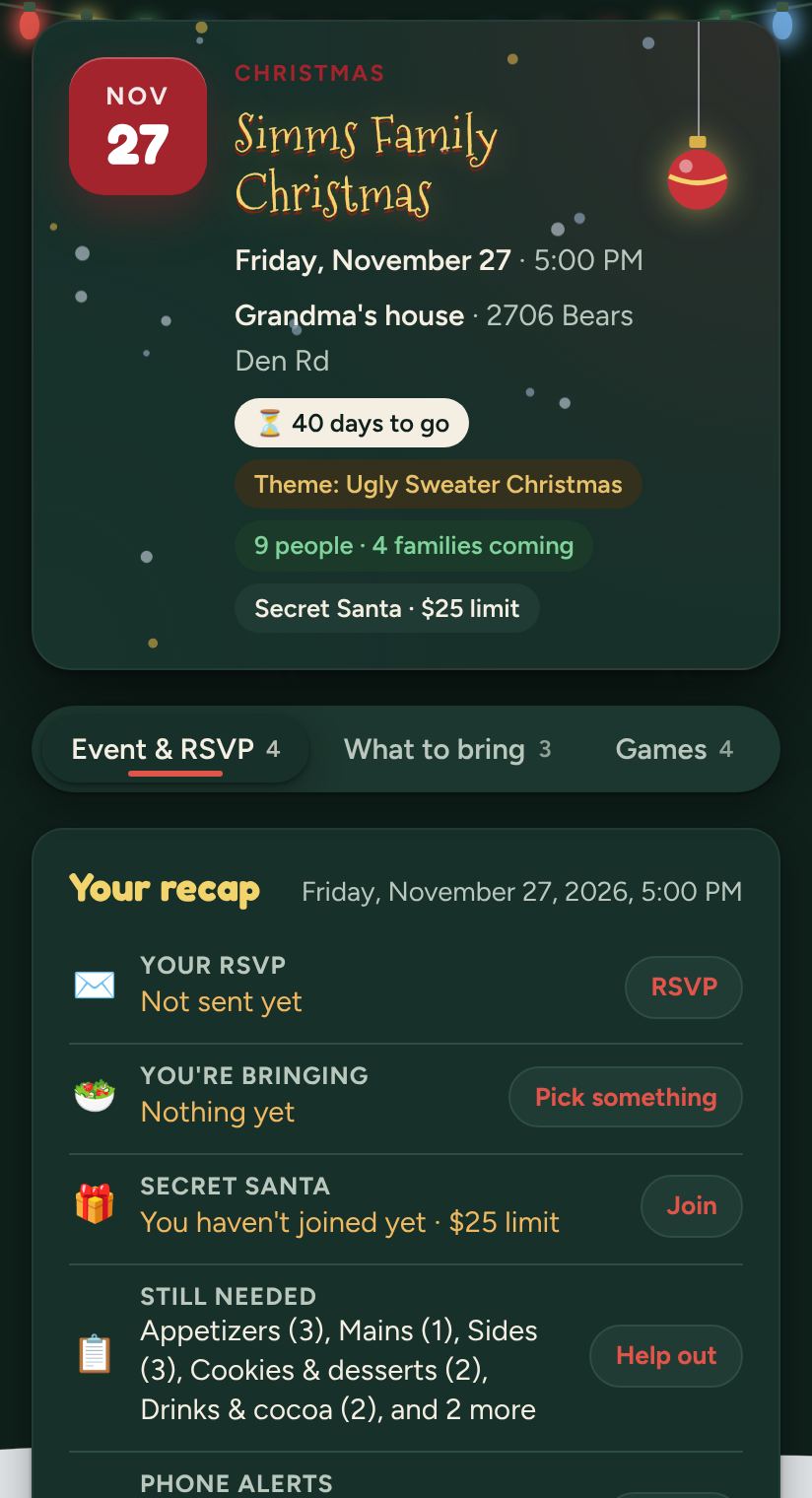
RSVP in one tap
Guests see the details and say who's coming.
Who's bringing what
A potluck list nobody double-books.
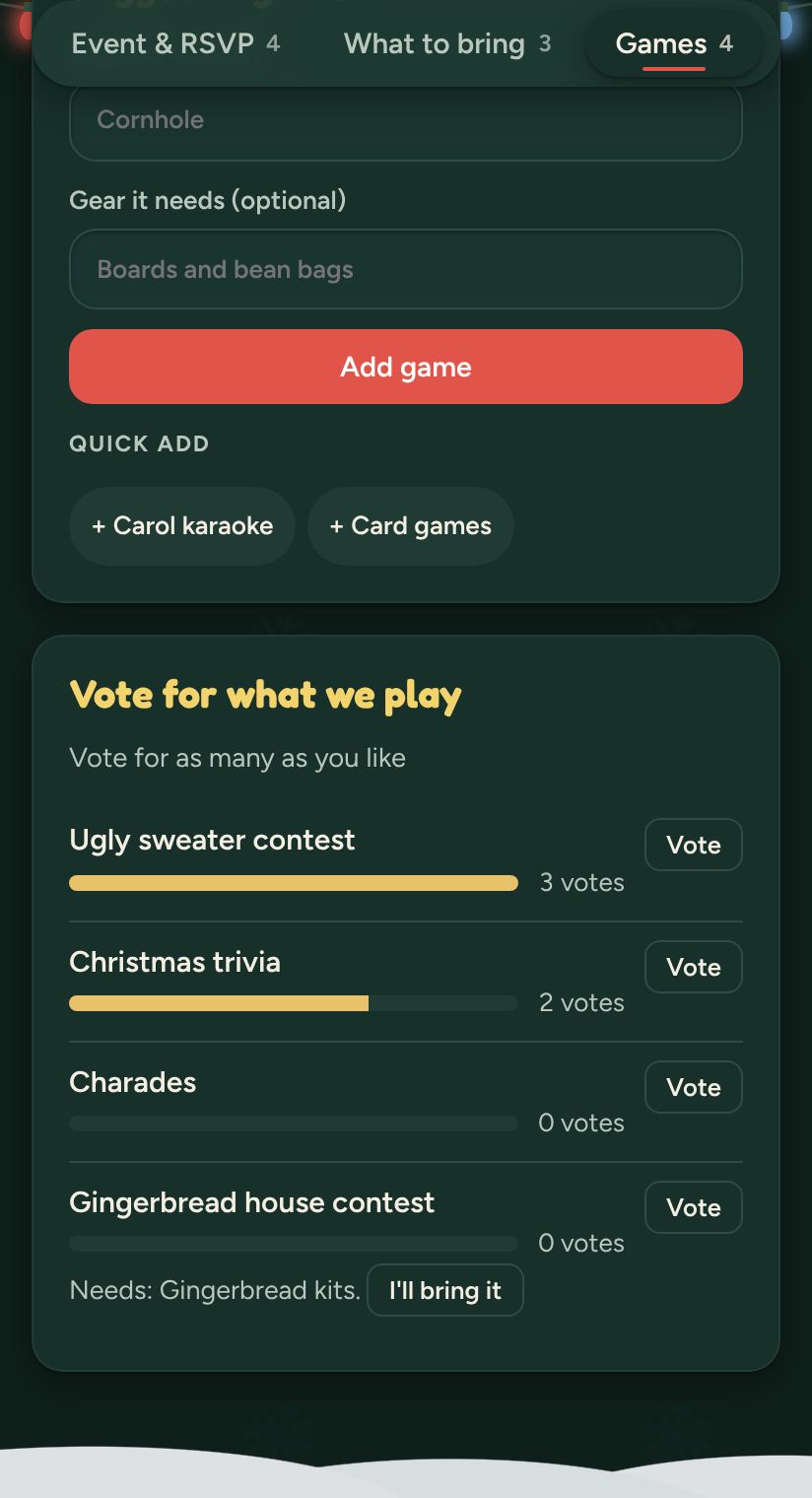
Games everyone votes on
Suggest a game, vote, and see what wins.
How it works
Three steps. One link.
Make it in a minute
Pick Thanksgiving or Christmas, the date and the place. The look and the potluck list come ready to go.
Send the link to the family
Everyone opens it on their phone, RSVPs and claims a dish.
Enjoy your own party
Who's coming, what's covered and what's still needed, on one page.
Simple pricing
Free to plan. $4.99 once for the extras.
Free
- Your event page and one link for everyone
- RSVPs that count families and kids
- Who's bringing what
- The plan for the day
- Games, votes and reminders
- Guests never pay
Event Pass
- Gift exchange and Secret Santa draw
- Prizes and gift registries
- Split costs with tap-to-pay links
- A budget and venue details
- Private messages with each guest
- The smart helper that turns posts into to-dos
No subscriptions, ever. Full refund within 14 days of buying, as long as the event hasn't started.
Questions
Good questions, quick answers.
Does everyone need the app?
No. You send one link in the family group text. It opens in the browser on any phone, with nothing to download and no account. Grandma included.
What does it cost?
Planning is free: RSVPs, the potluck list, the day-by-day plan, games, votes and reminders. The Event Pass is $4.99 once for one event and adds the gift exchange and Secret Santa draw, prizes and registries, cost splits, private messages and the smart helper. Guests never pay.
Can it draw names for Secret Santa?
Yes, with the Event Pass. Everyone who's in gets a secret name on their own phone, with a spending limit and wish lists. White elephant works too, with a picking order.
Will people sign up for the same dish?
Not anymore. The potluck list shows what's claimed and what's still needed, so you get one green bean casserole, not four.
Can I use it for Friendsgiving?
Yes. Friendsgiving has its own template: a potluck list where you do the main and friends bring the rest, a best side dish vote and a gratitude jar. Set it for whichever day works for your friends.
Can I get a refund?
Yes. You get a full refund within 14 days of buying, as long as the event hasn't started. Email support@organizedoccasions.app.
This year, enjoy your own party.
Make it in a minute, send one link to the family, and let everyone sign up for their part.