Organized Occasions

Stop running your get-together from the group text.

One link for RSVPs, who's bringing what, costs and the plan. Guests just tap it. No app or account for your guests.

The example is a real event page you can tap through. Nothing you do there is saved.

The event page: where we're staying, check-in times and who's driving
One link โ†’

See it in action

Thirty seconds. One link. No more group text.

Organized Occasions in 30 seconds
The full story: Meet Jen. She's hosting again. (75 sec)

Sound familiar?

Somebody always ends up holding it all together.

  • "Wait, what time again?" Asked for the sixth time.
  • Three people are bringing chips. Nobody's bringing ice.
  • Someone still owes you $40 from the last trip.
  • You're so busy keeping track, you forget to enjoy it.

It doesn't have to fall on you. ๐Ÿ’›

What you get

Everything in one place, for everyone.

Everyone answers in one place

RSVPs that count families and kids, with reminders sent for you.

Nothing gets doubled or missed

One sign-up list. One bag of chips, plenty of ice.

No awkward money talks

Split costs with tap-to-pay links. Everyone sees what they owe.

Kristi, who started Organized Occasions

Why I built it

"I built this because I was always the one holding it together."

Birthdays, holidays, trips with the family. I was the one with the clipboard, answering the same questions and quietly covering what nobody paid back. So I made the page I wished I'd had: one link everyone can open, with nothing to download.

Kristi, founder of Organized Occasions

  • Works on any phone
  • Nothing to install
  • Free to plan
  • Hosts get back in from the same phone, or move events to a new one

How it works

Three steps. One link.

  1. Make your event in a minute

    Pick the occasion and the date. It comes ready with a list and a look.

  2. Drop the link in your group text

    Guests open it on any phone. No app, no account.

  3. Watch it fill in

    Who's coming, who's bringing what and who's paid, on one page.

Three ways to use it

For the party, the trip, and while you're gone.

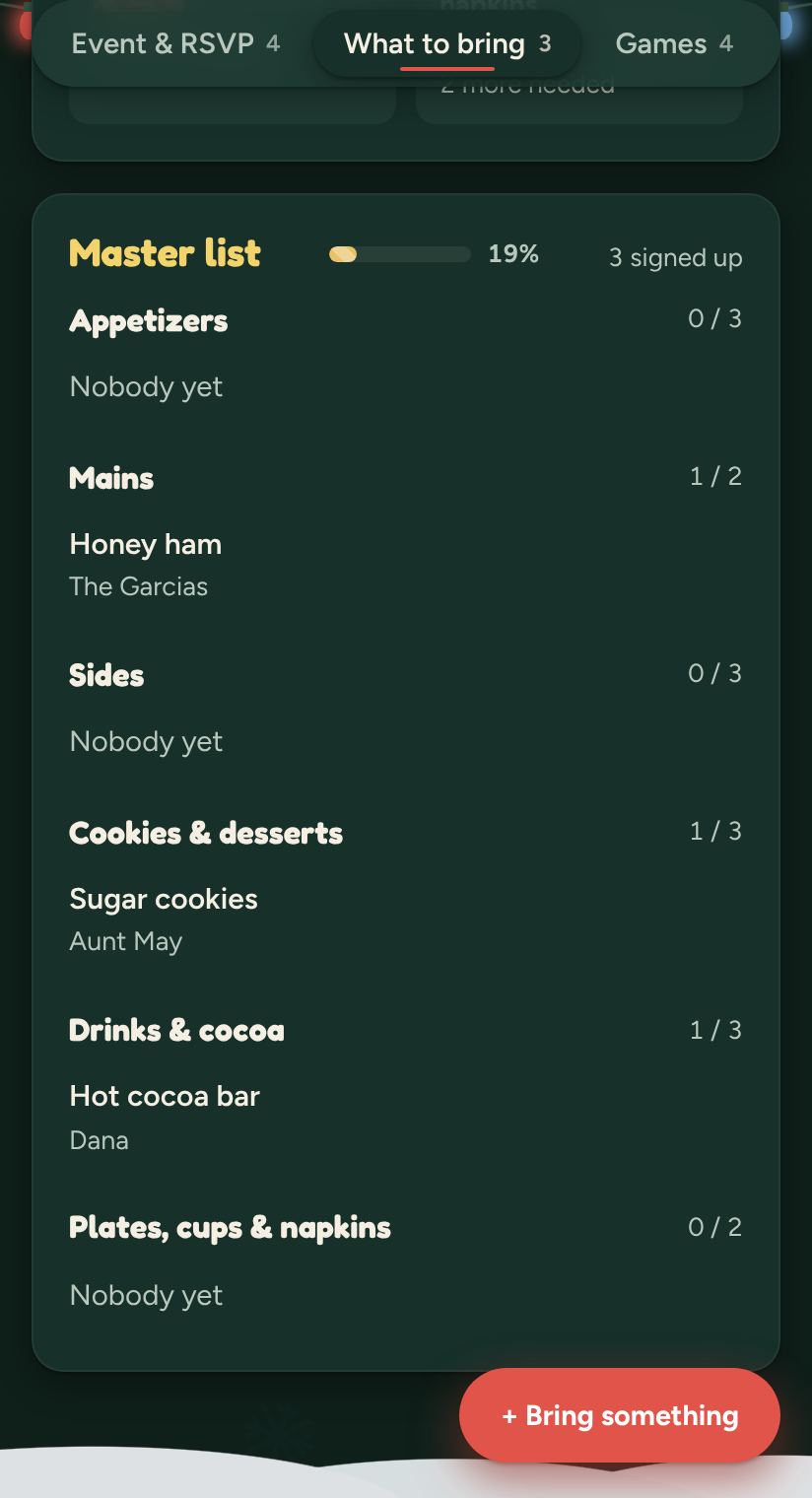
A potluck list where each person signs up for a dish

๐ŸŽ‰ Get-togethers

Birthdays, showers, game nights and holidays, with a potluck list nobody double-books. More on holidays

A list of things to do on the trip, with votes

๐ŸŒด Getaways

Lake houses and cousins' weekends: where you're staying, who's driving and what to pack. More on group trips
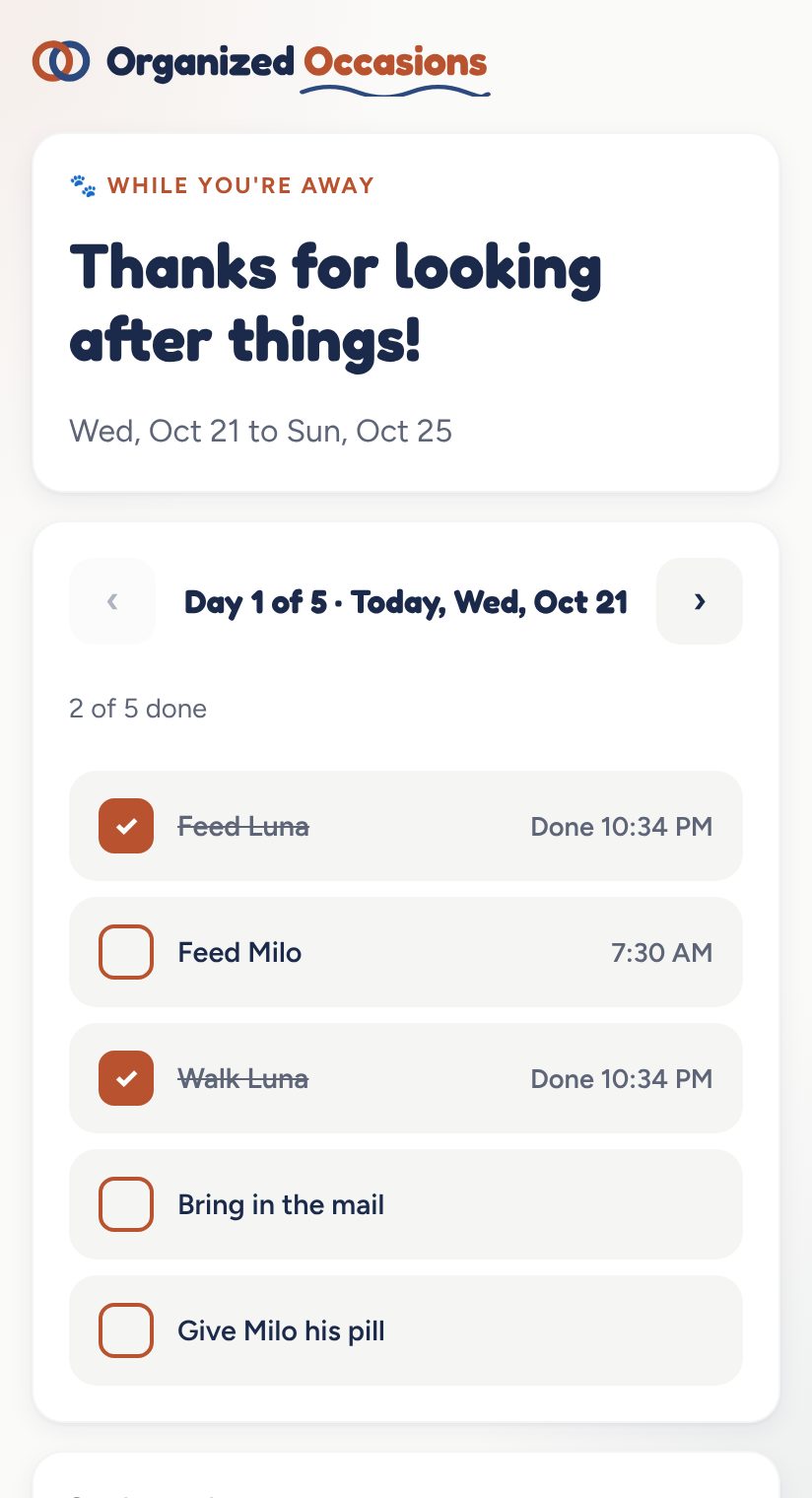
A sitter's page with today's jobs to tick off
Bonus

๐Ÿพ House sitter plans

Swap the three-page note on the counter for daily check-offs and photos, so you know the dog got fed. More on sitter plans

The night before

You're not scrolling through texts. Everyone knows the plan, the list is covered and the costs are even.

You get to be a guest at your own get-together.

Why not just a Facebook event?

Facebook is great for announcing a party. Not for planning one.

Who can comeGuests need a Facebook account to RSVPAnyone with the link. No app, no account, no password
The headcount"Going" or "Maybe," with no idea who's bringing whomGoing, maybe or can't, with adults and kids counted for each family
A full houseNothing stops the 26th "Going"Set a limit, kids counted or not, and the yeses stop when it's full

See all 7 differences โ†’

Already made a Facebook event? Screenshot it and start from it in the app.

Simple pricing

Free to plan. Pay only for the extras.

Free

$0 always
  • Your event page and invite link
  • RSVPs that count families and kids
  • Who's bringing what, packing lists, things to do
  • A day-by-day plan or itinerary
  • Games, votes, the notice board and reminders
  • Guests never pay

Event Pass

$4.99 once per event ยท no subscription
  • Split costs with tap-to-pay links
  • Venue details and a budget
  • Private messages with each guest
  • Gift exchange, prizes and registries
  • The smart helper that turns posts into to-dos
  • A sitter link with daily check-offs and photos

๐Ÿพ Sitter Pass

$4.99 for 30 days ยท never renews
  • For when you're away but not hosting: pick House sitter in the app, no event needed
  • A sitter link with each day's jobs to check off
  • Photo updates and notes from your sitter
  • A phone alert and email if nobody checks in by the time you pick
  • As many trips and sitters as you like
  • Need more time? Add 30 days for $4.99

See how sitter plans work

No subscriptions, ever. Each pass is one payment. Planning an event and need a sitter too? The Event Pass already includes the sitter link. Full refund within 14 days of buying, as long as the event or sitter plan hasn't started.

Questions

Good questions, quick answers.

Do my guests need an app or an account?

No. You send one link in the group text. Guests tap it, type their name and RSVP. Nothing to download and no password.

What does it cost?

Planning is free: your event page, invites, RSVPs, who's bringing what, a day-by-day plan, games, votes, the notice board and reminders. Extras come with an Event Pass ($4.99 once for one event) or, for a house sitter plan on its own, a Sitter Pass ($4.99 for 30 days).

Is it a subscription?

No. There are no monthly or yearly plans. Each pass is one payment, and nothing renews or charges you again.

What does the Event Pass add?

Split costs with tap-to-pay links, a budget, venue details, private messages with each guest, gift exchange and Secret Santa, prizes and registries, the smart helper that turns posts into to-dos, and a link for your pet or house sitter.

Do guests ever pay?

Never. Only the host buys a pass, once, and it unlocks the extras for everyone at that event.

I'm going away but not hosting. Can I just make a sitter plan?

Yes. Open the app and pick House sitter. Filling in the plan and copying it as text is free. The Sitter Pass ($4.99 for 30 days) gives your sitter their own link with each day's jobs to tick off, and lets them send notes and photos. It covers as many trips and sitters as you like in those 30 days. If you're planning an event too, its Event Pass already includes the sitter link.

What if my sitter forgets to check in?

Pick a time each day. If nobody has checked in by then, we send you a phone alert and an email.

Can I get a refund?

Yes. You get a full refund within 14 days of buying, as long as the event or sitter plan hasn't started. Email support@organizedoccasions.app.

Does it work on iPhone and Android?

Yes. It runs in the web browser on any phone, tablet or computer. You can add it to your home screen so it opens like an app.

Who can see my event?

Only people you give the link to. Your budget, venue costs and private messages stay between you and the right people. Guests see what they need, and you see the rest.

Something else? Email support@organizedoccasions.app.

Your next get-together can be the easy one.

Make it in a minute, drop one link in the group text, and enjoy the day.